Inside CariClub · How-to · 2 min read
From discovering a nonprofit to starting a conversation.

Know your next step.
A CariClub companion brief 03Exploring a nonprofit, saving an opportunity and submitting an application are different decisions. CariClub gives each a place, so you can move forward thoughtfully.
Watch · Member matching walkthrough · 5:19
Read the transcript
You’re building skills every day. CariClub helps you explore where those skills could support a nonprofit—and how you could grow through service.
Let’s follow the steps from getting started to putting yourself forward for a role. You don’t need previous board experience to begin exploring.
If CariClub is offered through your employer, use your work email and follow your firm’s joining instructions.
When asked how you’re joining, choose the employer option. Haven’t served on a board before? Select Not yet when asked about existing board service.
Then add your current role and a short headline. You can build on these as you explore.
Your profile does two important jobs. It helps CariClub and Margo, its AI assistant, recommend opportunities that reflect your interests and experience. It also serves as your resume for nonprofits reviewing your candidacy.
Give them a clear picture of what you bring: your experience, the causes you care about, and how you work with others. Use a concrete example, such as building a partnership or helping a team turn a plan into action.
Add a clear photo, review your professional details, and check your availability and visibility settings. Save that section.
In Skills, select relevant strengths and the causes you care about, then save your choices. Keeping your profile current helps your recommendations and your introduction to nonprofits reflect who you are today.
Alongside your search, explore Leaderboard, CariClub’s space for learning and preparation.
Its Core Insights assessments help you reflect on your passions, leadership purpose, and areas to develop. Start with a question that matters to you: what kind of contribution would feel meaningful?
Use that perspective as you explore. You can return to the learning resources throughout your journey.
Before choosing a role, get to know the organization behind it. Read about its mission, the people it serves, and the work it is doing.
If you’d like to follow it, become a fan. That’s CariClub’s Fan Club feature: a way to keep an organization in your Fan of list as you explore.
Following a nonprofit helps you keep it in view. Applying for a role is a separate step.
In Starboard, open Listings to explore opportunities. Start with a cause or organization that interests you, then read the role itself.
An associate board helps advance a nonprofit’s mission through fundraising, partnerships, and community engagement. The governing board has a different role: organizational oversight.
You usually join as a board member, rather than for a specific job title. As you get involved, you can explore committees where your interests and strengths can contribute.
Look at the responsibilities, meeting schedule, and any fundraising or financial expectations. The aim is a commitment that fits alongside your career.
Shortlist a promising role while you compare your options. Saving it keeps the possibility in view; it isn’t an application.
When you’re ready to be considered, select Express interest. For this open role, that starts an application—it does not submit it.
Write your introduction and answer any questions for the opportunity. Explain why the mission interests you, what you could contribute, and how the commitment could fit your schedule.
Be specific about how you work with others. Perhaps you’ve brought people together around a shared goal. Explain how that experience, and your interest in the mission, could help you contribute to the board.
Need more time? Save Draft lets you return to it. Leaderboard’s Board Readiness Insight can also help you reflect on areas you’d like to develop.
When you’re ready, review your answers and choose Submit Application. Then look for confirmation that it has been sent. The nonprofit will decide how to take the conversation forward.
Return to Pipeline: saved roles appear under Shortlisted, unfinished applications under Drafting, and sent applications under Submitted.
Check the details and any next steps shown for that role. Keep your profile current as your experience grows.
Start with your profile: what you bring, and what you care about. Then explore one nonprofit that interests you. Your next step can begin with curiosity.
Music credit
'Origami' by Scott Buckley - released under CC-BY 4.0. www.scottbuckley.com.au. Edited and mixed for CariClub. https://creativecommons.org/licenses/by/4.0/
Member matching walkthrough · Member First Steps — Maya copy
Start with your profile and your interests
Join through your employer’s instructions using your work email when CariClub is offered by your firm. Then give your profile enough detail to explain your experience, interests and availability.
Alongside your search, explore Leaderboard, CariClub’s learning and preparation space. Core Insights assessments can help you reflect on your passions and leadership purpose. They support exploration; they do not replace a conversation about fit.
Follow the journey
These are the distinct steps shown in the member walkthrough.
- Step 1
Get to know the nonprofit
Read its mission and learn about its work. Become a fan if you want to keep it in your Fan of list. Following is separate from applying.
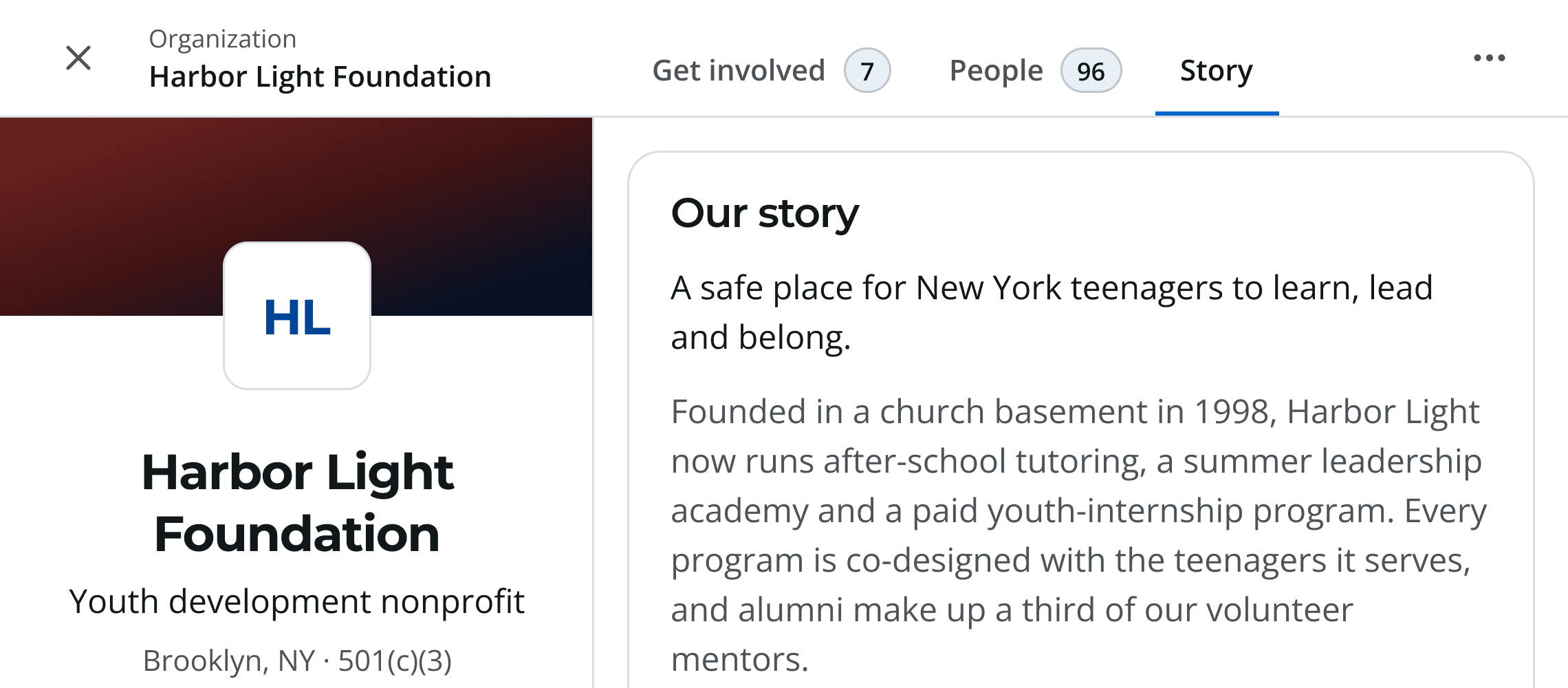
Start with the mission Read what the nonprofit does, who it serves and how it creates change. Start with that context before considering where you could contribute.
Open enlarged screen (new tab) - Step 2
Explore Listings
In Starboard, open Listings. Read the opportunity, responsibilities, meeting schedule, and fundraising or financial expectations.
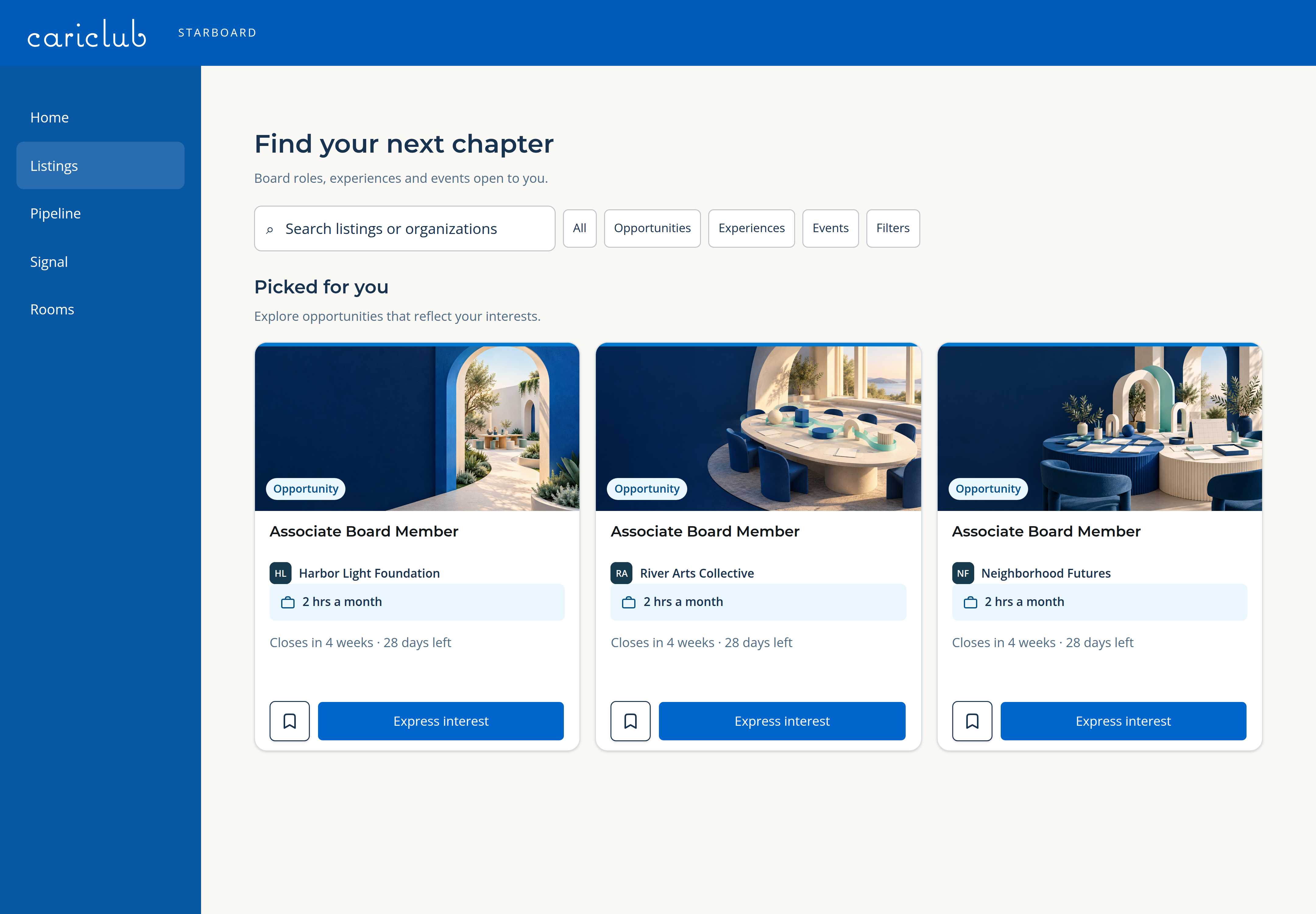
Explore Listings Use Listings to compare opportunities and practical details. Look at the time commitment, location and format, then read the full expectations before deciding.
Open enlarged screen (new tab) - Step 3
Shortlist a possibility
Save a promising opportunity while you compare your options. A shortlist is not an application.
- Step 4
Prepare your introduction
For the open role shown in the film, Express interest starts an application. Explain your interest in the mission and what you could contribute. Save Draft if you need more time.
- Step 5
Review and submit
Check your answers, select Submit Application when ready, and look for confirmation. Opening an application does not send it.
- Step 6
Return to Pipeline
Shortlisted, Drafting and Submitted distinguish saved roles, unfinished applications and sent applications. Check the details and next steps for your opportunity.
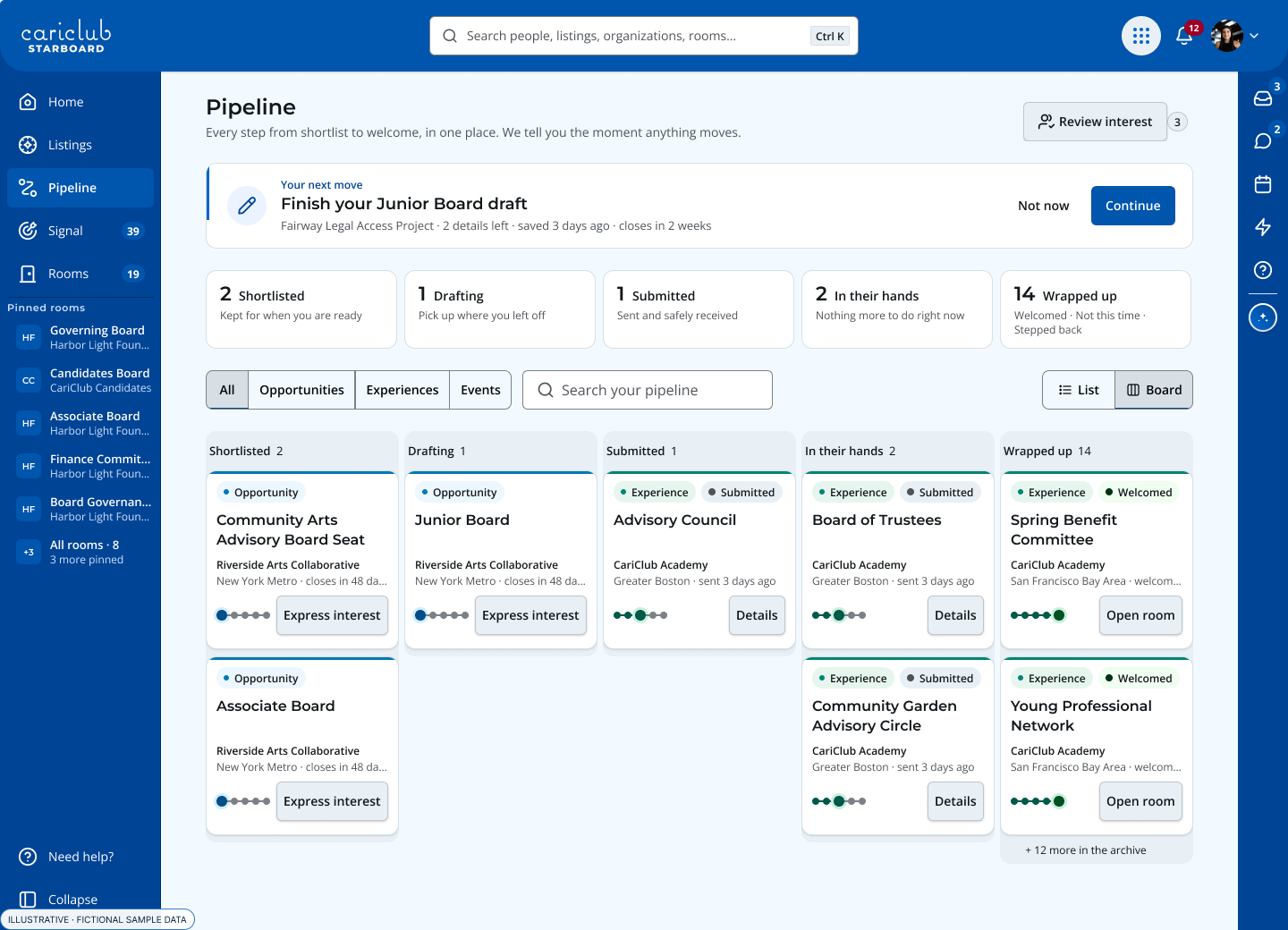
Know where each opportunity stands Shortlisted is a saved possibility. Drafting means an application is still in progress. Submitted means it has been sent. Pipeline keeps those decisions distinct.
Open enlarged screen (new tab)
Make the conversation about fit
Associate-board members usually join as generalists and explore committee work after joining. Bring a clear account of your strengths, but also curiosity about where the nonprofit needs support.
Ask about the rhythm of the year: regular meetings, preparation, events and fundraising. Decide whether you can contribute reliably alongside your work. The nonprofit determines how to take your candidacy forward.
Your next step